Omnichannel Team Inbox
The Team Inbox in WhautoChat gives you a unified view to manage conversations from all your channels - WhatsApp, Instagram, Messenger, Telegram, and Live Chat - in one place.
🚪 Accessing the Team Inbox
- Open the WhautoChat app.
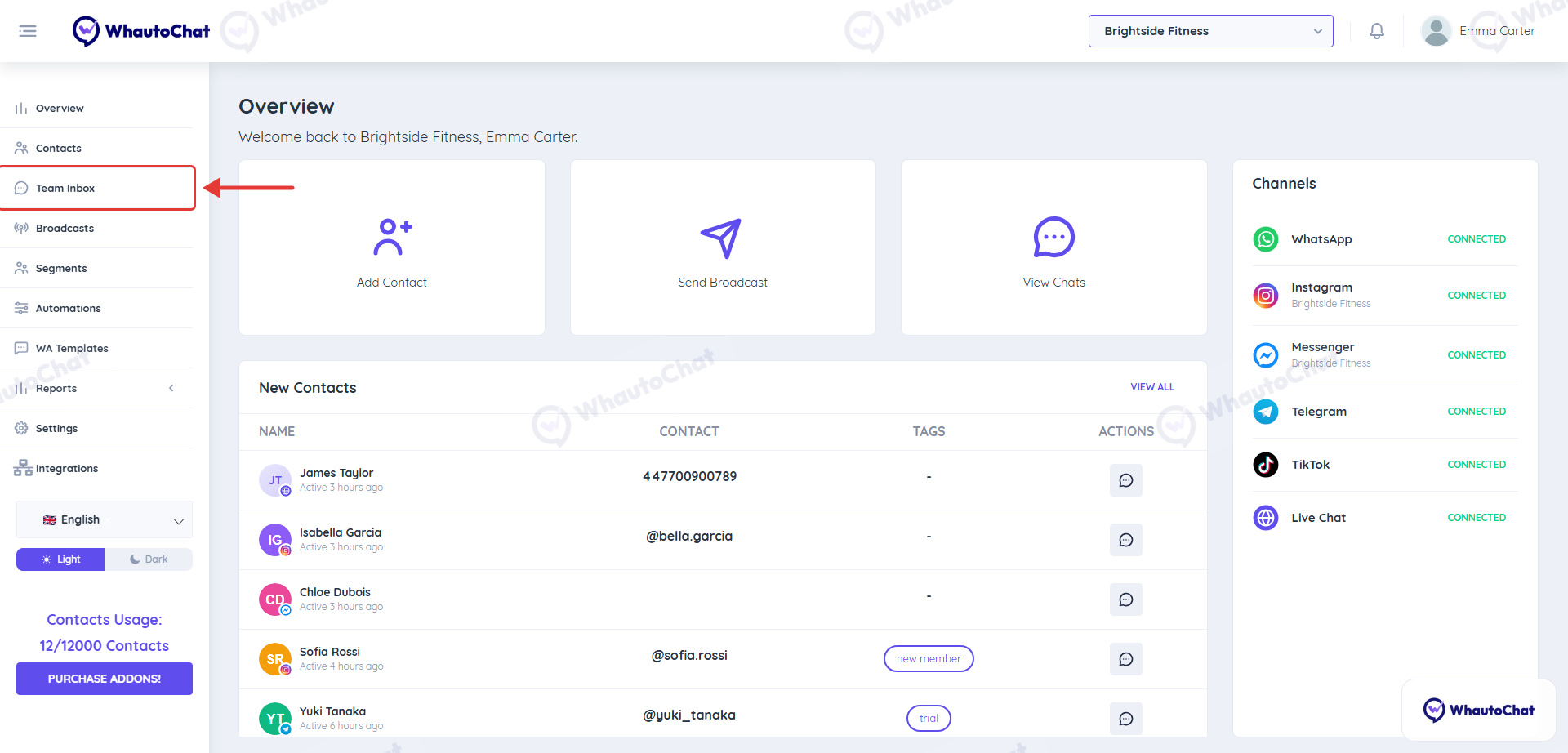
- Click on the Team Inbox menu option from the sidebar.
📂 Conversation Categories
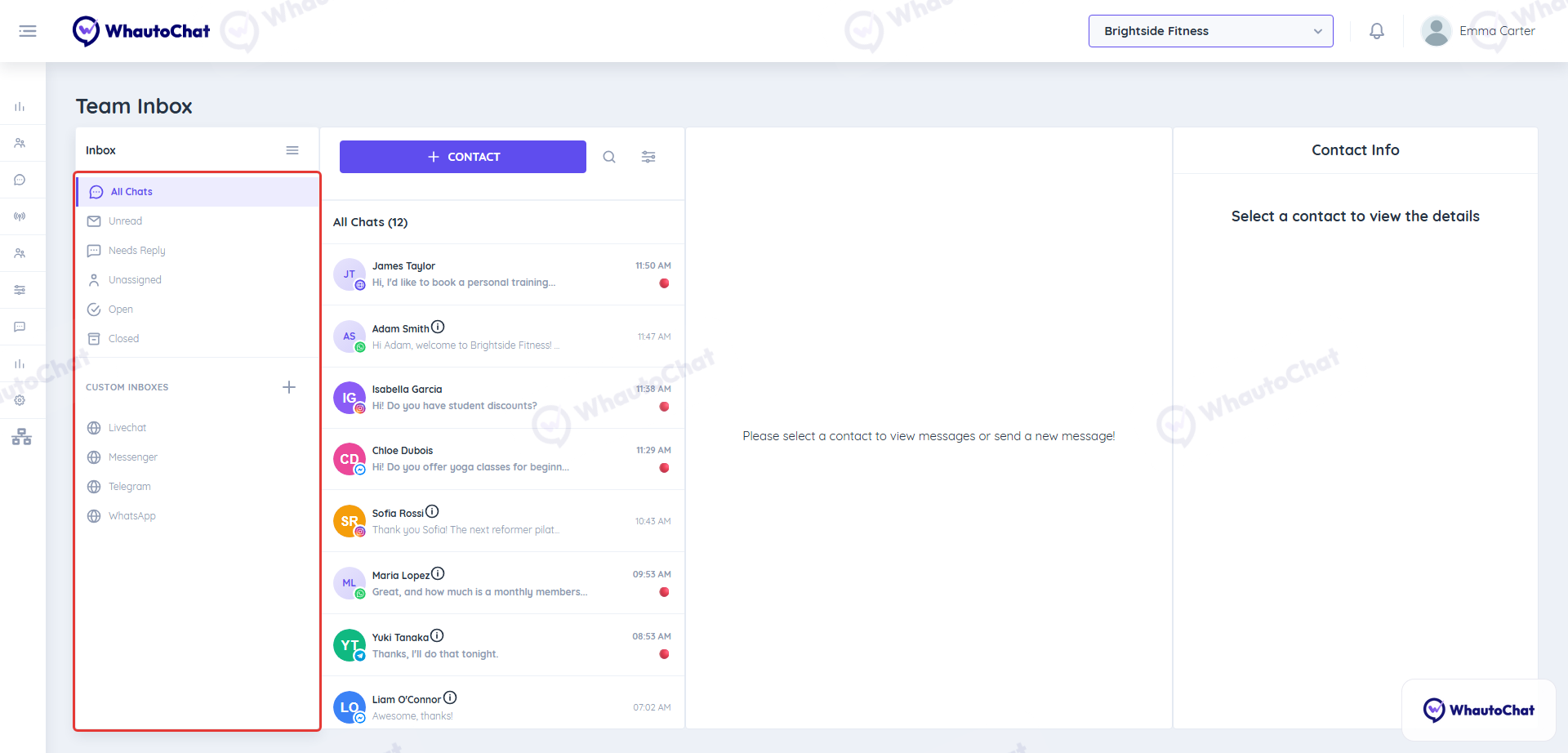
The Inbox panel on the left groups your conversations into folders:
- All Chats: every conversation in the workspace.
- Unread: conversations with messages nobody has read yet.
- Needs Reply: open conversations where the customer is waiting for an answer.
- Unassigned: incoming chats that no one on your team has picked up yet.
- Example: When a user interacting with the chatbot asks to speak with a human, the conversation is moved to this folder for manual handling.
- Open: conversations currently being handled by you or your teammates.
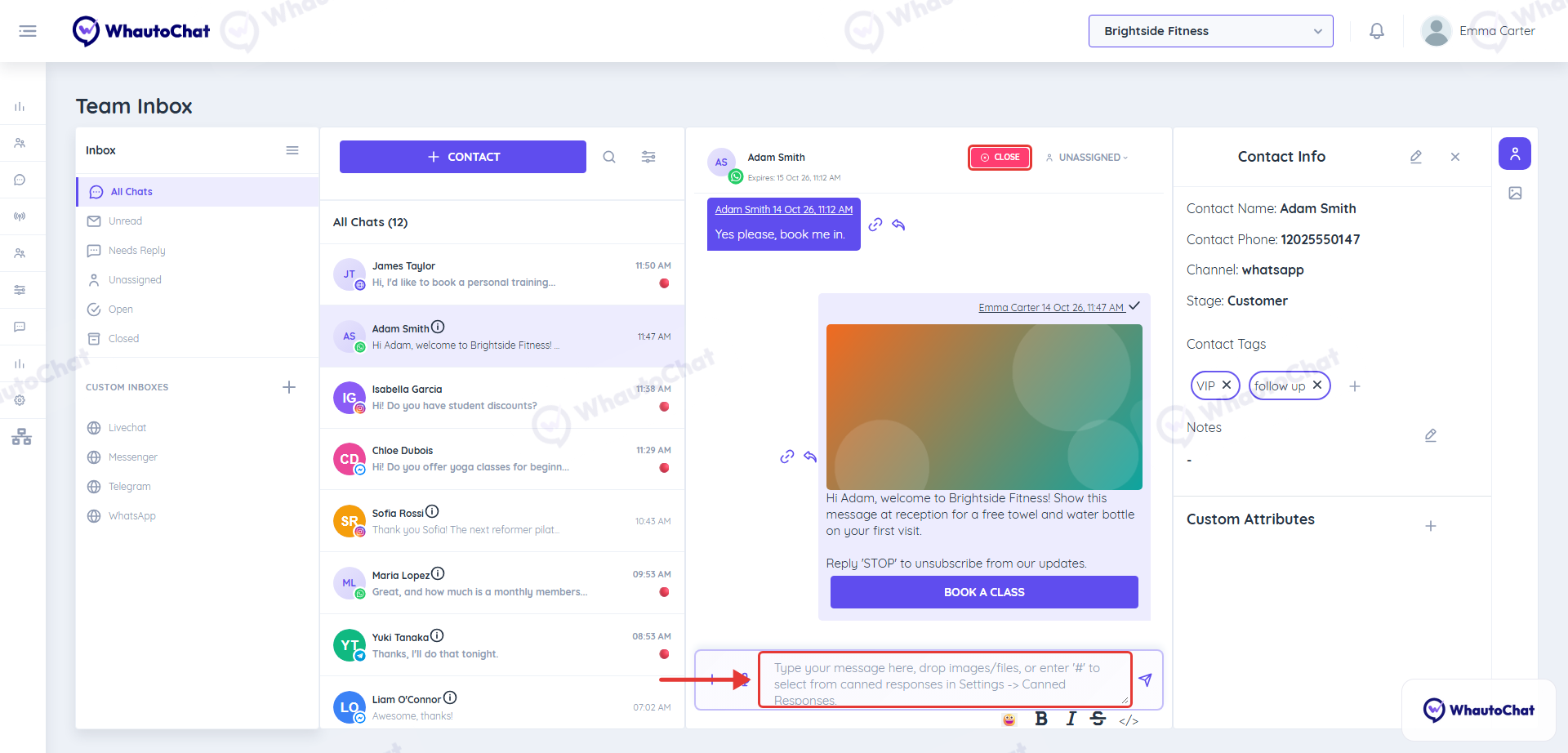
- Closed: conversations that have been resolved. Click Close at the top of a conversation to close it.
Under Custom Inboxes you can add your own saved views, for example one per channel. Click + to create one.
Important
The chatbot will only respond when the conversation is marked as Closed. Make sure to close it after solving the customer’s issue.
✉️ Sending Messages
- Select the contact from the inbox.
- You can send:
- Text messages
- Voice notes
- Images
- Videos
- Documents
- Type in the message box at the bottom, click + to attach files or the microphone to record a voice note, and press the send icon.
📝 WhatsApp Message Rules:
- At the start of a conversation, you must send a pre-approved WhatsApp message template.
- You cannot send free-form messages to a new contact or inactive one.
- Once a customer replies to your message, you can send any free-form message within the next 24-hour window.
- If you don’t respond within that window, you must use another template message to continue the conversation.
👤 Contact Info & Tools
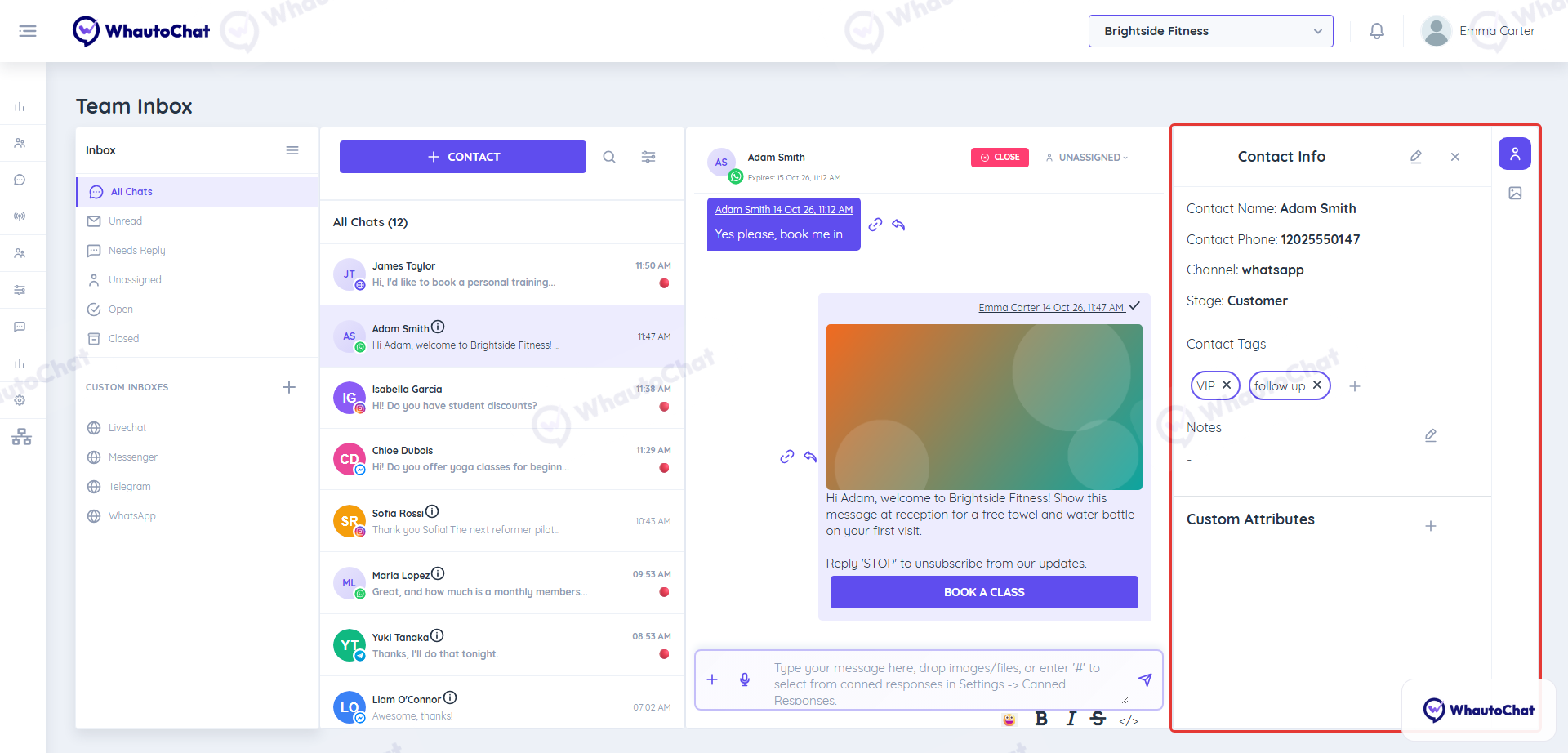
On the right side of the inbox, you’ll find the Contact Info panel where you can:
- View customer details
- Add or manage Tags
- Add internal Notes
- Manage Custom Attributes
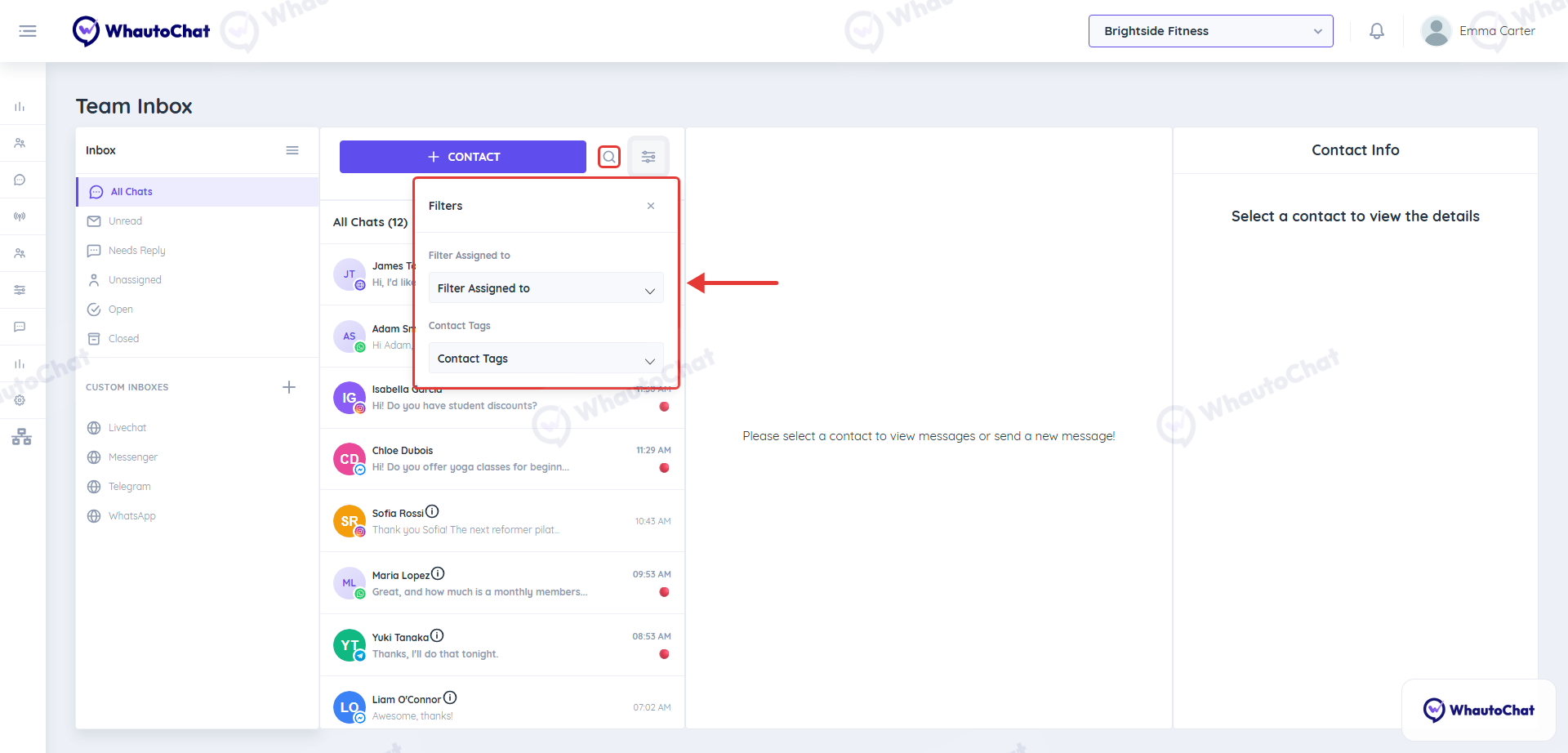
🔍 Search & Filter Options
- Click the search icon above the conversation list to search by contact name, tags or message content.
- Click the filter icon next to it to filter conversations by the team member they are assigned to or by contact tags.
- To see one channel only (WhatsApp, Instagram, Messenger, etc.), open a custom inbox for that channel under Custom Inboxes.
💬 Need Help?
Reach out to our support team anytime – we’re here to help you connect smoothly. [email protected]
For detailed troubleshooting, refer to our Troubleshooting or contact support.