⚙️ WhautoChat Automation: Complete Guide
10X Your Productivity and Sales with Whautochat’s Automation Rules
Whautochat’s automation engine empowers you to streamline repetitive tasks, personalize customer journeys, and respond faster across channels: WhatsApp, Instagram, Messenger, Telegram, and Live Chat.
🚦 How Whautochat Automation Rules Work
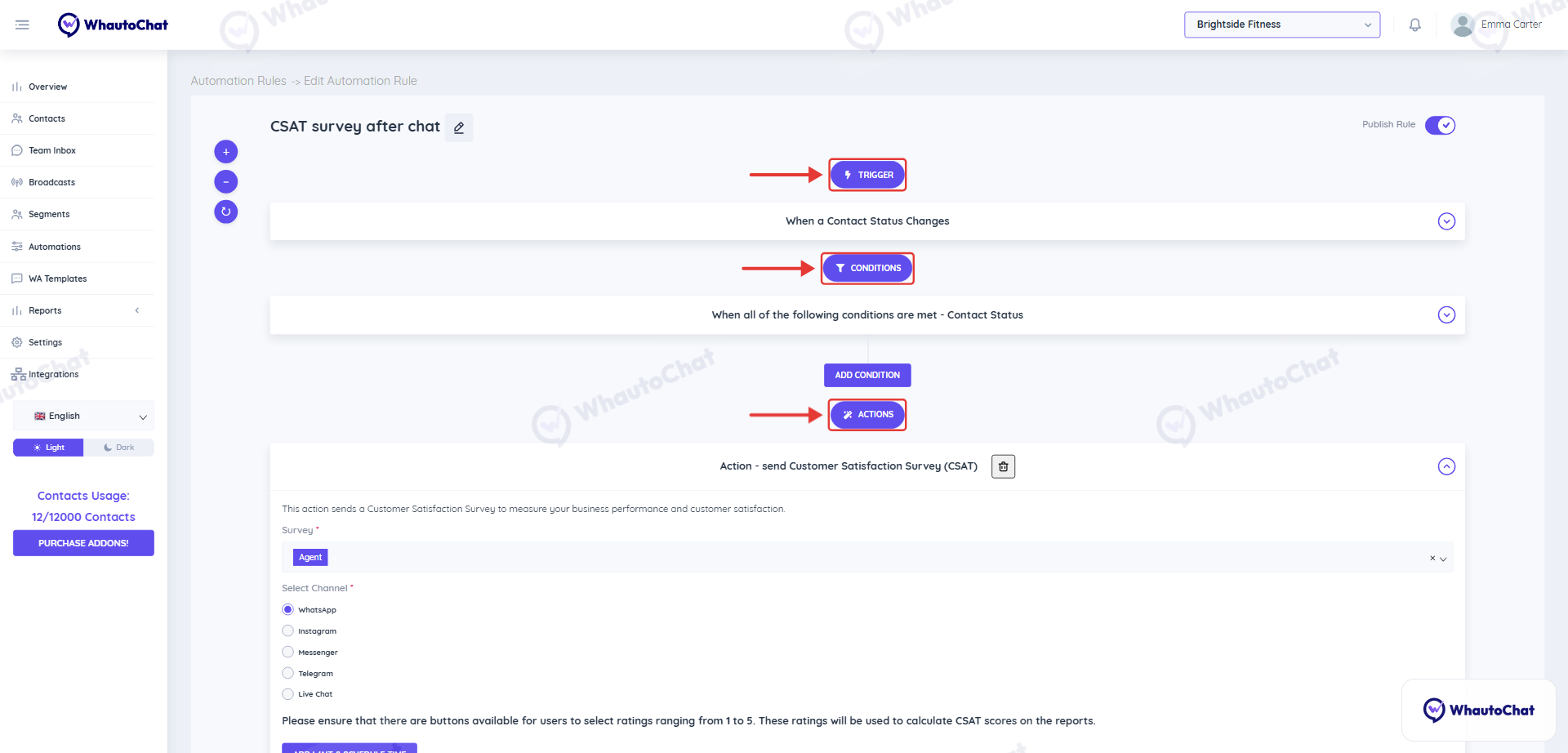
Each automation rule in Whautochat follows a Trigger → (Optional) Condition → Action structure.
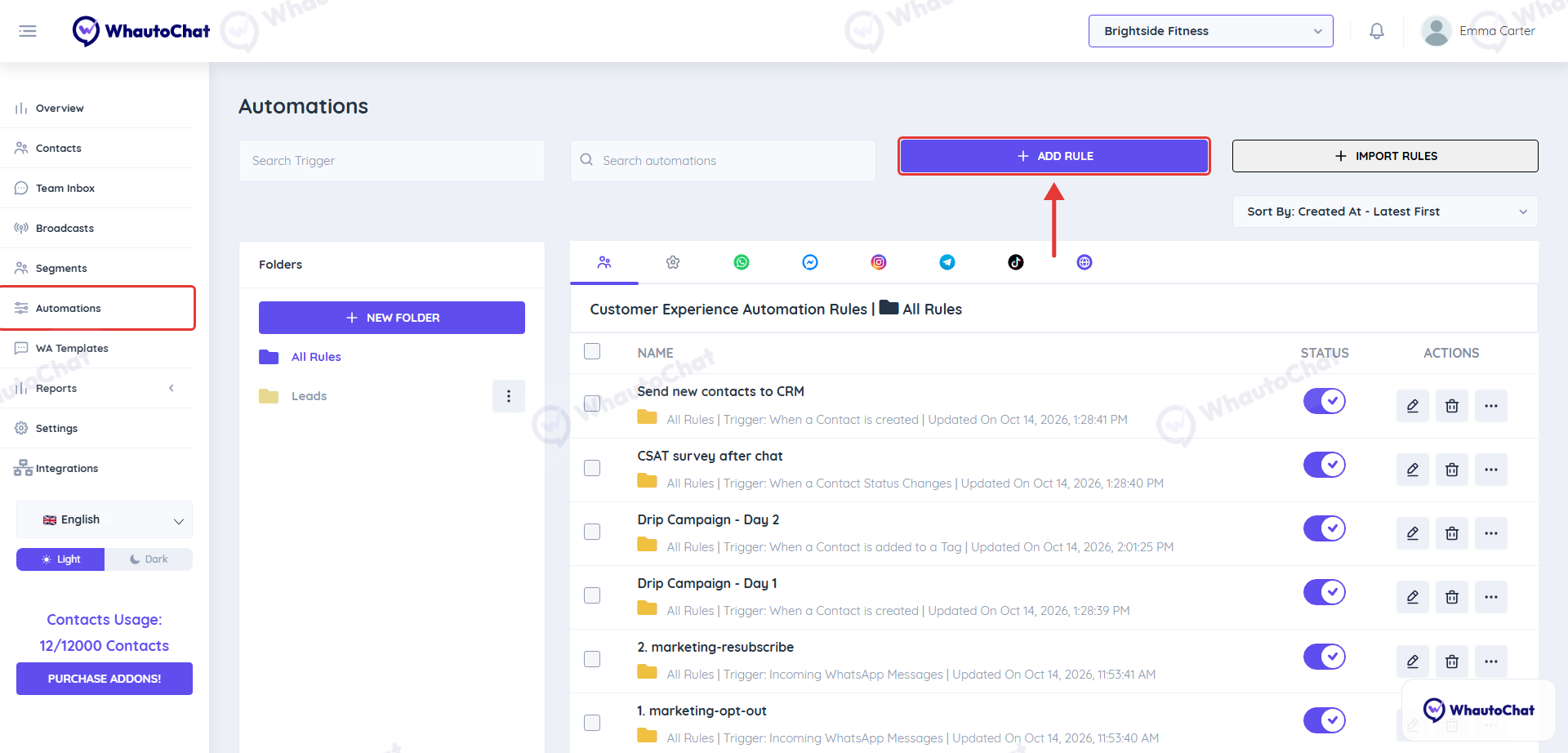
Open the Automations menu to see your rules, grouped in tabs by category and channel. Click Add Rule to install a ready-made template or to choose Create rule from scratch.
In the rule editor, every rule is built from the Trigger, Conditions and Actions sections, from top to bottom.
🔔 1. Triggers – When to Start
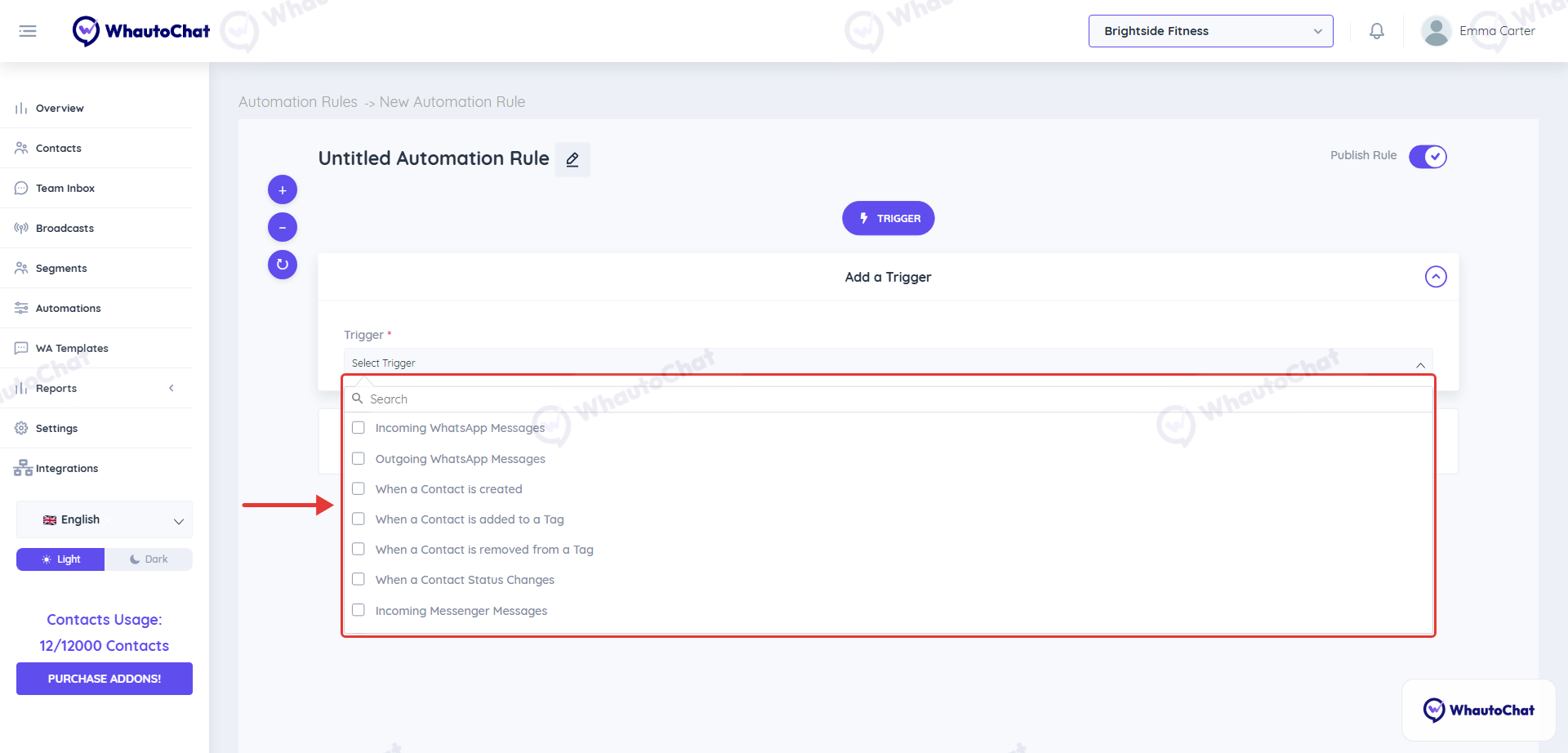
Triggers are the starting point of your automation. They define when the workflow should begin. Examples of Triggers:
- When a Message is sent
- When a Message is received
- When a Contact is Created
- When a Contact is added to a Tag
- When a Contact is removed from a Tag
- When a Contact status changes
Each channel has its own message triggers (for example Incoming WhatsApp Messages or Incoming Messenger Messages).
🔎 2. Conditions (Optional) – Apply Filters
Conditions refine your automation by setting rules that must be true before an action is executed. Think of them like “if this, then that.” Examples of Conditions:
- Tag equals New Lead
- Channel equals WhatsApp
- Contact status equals Open
- The message text contains “pricing”
You can add one or multiple conditions using AND/OR logic to customize your workflows deeply.
⚡ 3. Actions – What Should Happen
Actions are the tasks Whautochat will perform automatically when the trigger (and any conditions) are met. Examples of Actions:
- Send an auto-reply message
- Assign a conversation to a team member
- Tag the contact
- Send a lead notification to your team
- Start a CSAT survey
- Forward the chat to a custom webhook or CRM
🧠 Examples of Automation Use Cases
| Use Case | Trigger | Condition | Action |
|---|---|---|---|
| Welcome new leads | Contact added to a tag | Tag = New Lead | Send auto-reply, assign to sales |
| Notify support of VIPs | Message received | Tag = VIP | Send notification to support team |
| Auto-survey after chat | Contact status = Closed | Channel = WhatsApp | Send CSAT survey |
| Route by keyword | Message contains “billing” | Channel = WhatsApp | Assign to billing team |
🎯 Why Use Whautochat Automations?
- ✅ Respond instantly to leads and queries
- ✅ Reduce manual tasks for your team
- ✅ Ensure no contact slips through the cracks
- ✅ Improve speed and consistency across channels
- ✅ Boost engagement and conversions with timely actions
Need help or have questions? Reach out to our support team anytime at [email protected] – we’re here to assist you!