📴 Marketing Opt-Out Management in Whautochat
Maintain a High-Quality WhatsApp Rating & Respect Customer Preferences Opting out of marketing messages is simple with Whautochat. Here’s how you can set up an automated system to manage unsubscribes via the "STOP" keyword and keep your broadcast lists clean.
✅ Step-by-Step Setup
1. Default Opt-Out Footer in Templates
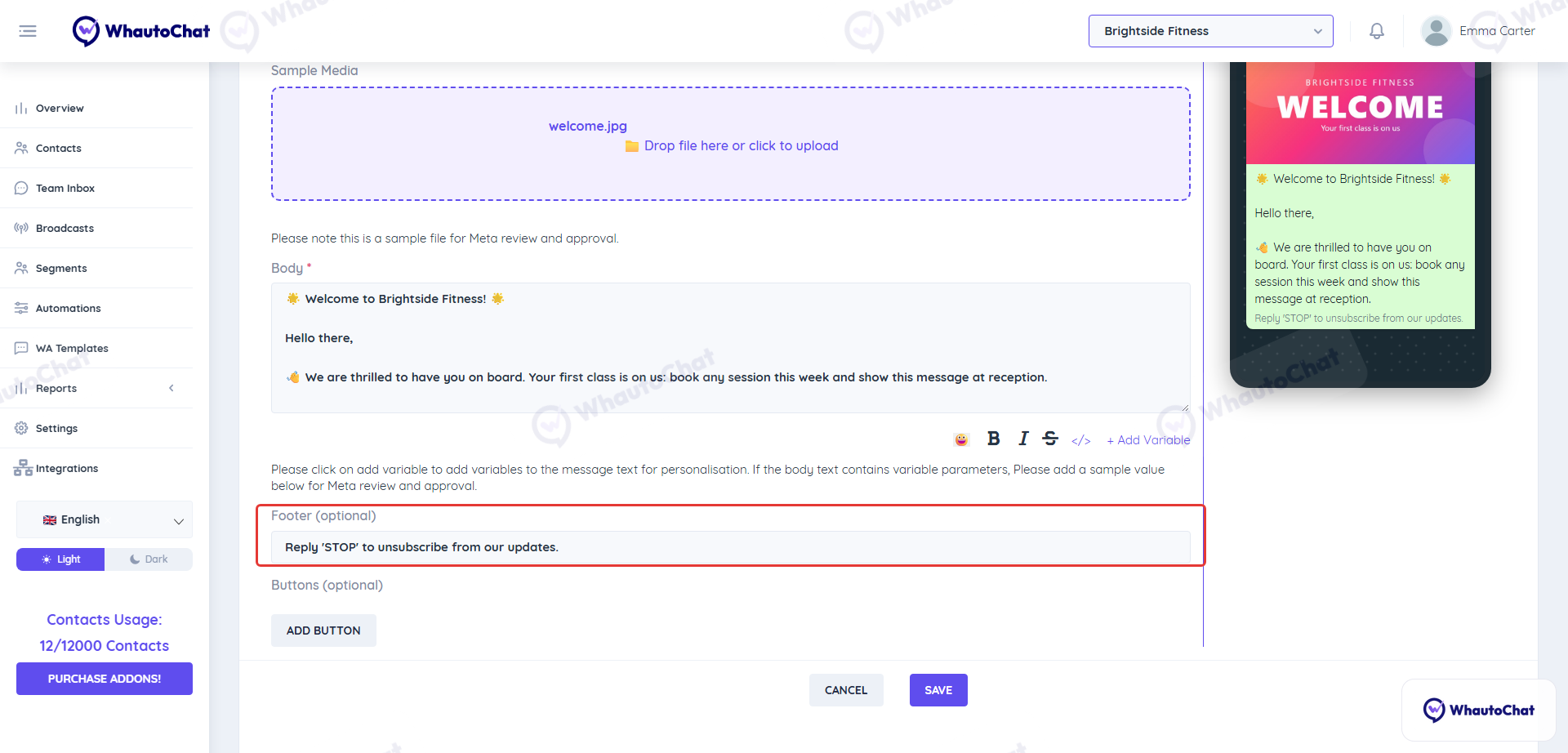
When creating WhatsApp marketing message templates, a default opt-out message is auto-included:
📝 "Reply 'STOP' to unsubscribe from our updates."
⚙️ 2. Enable the Opt-Out Automation Rule
- Open the Whautochat app
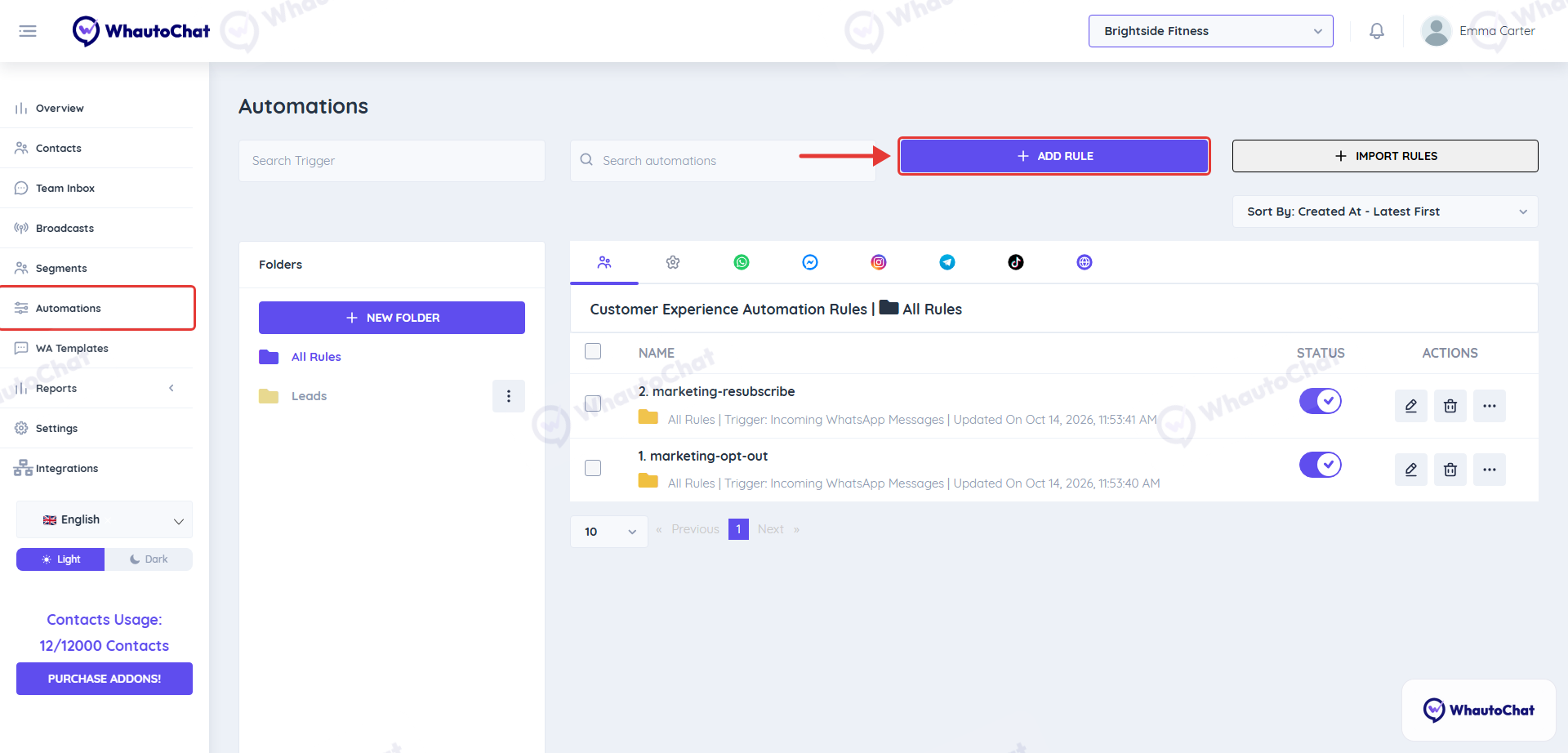
- Go to Automation in the sidebar
- Click Add Rule
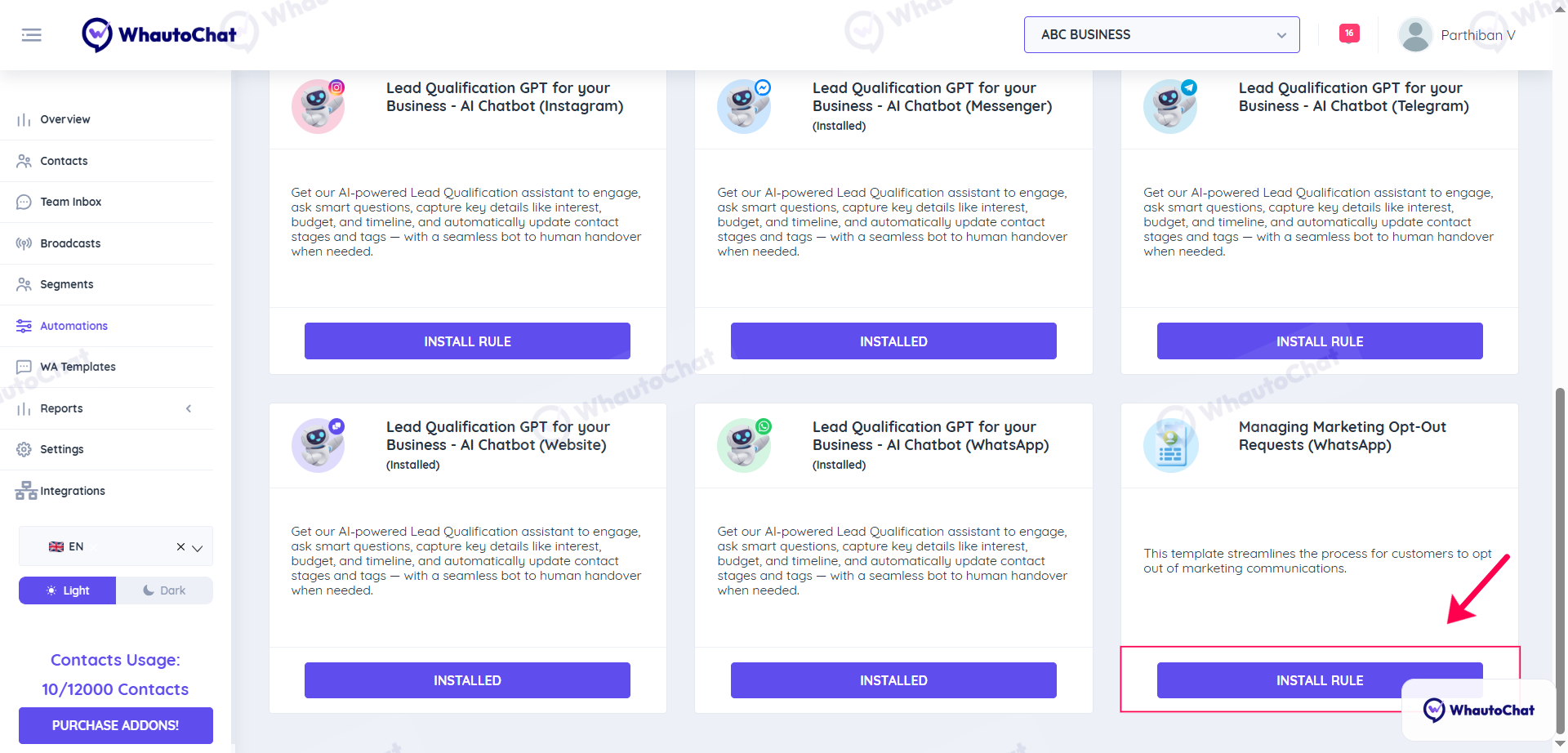
- Scroll down to Managing Marketing Opt-Out Requests
- Click Install Rule
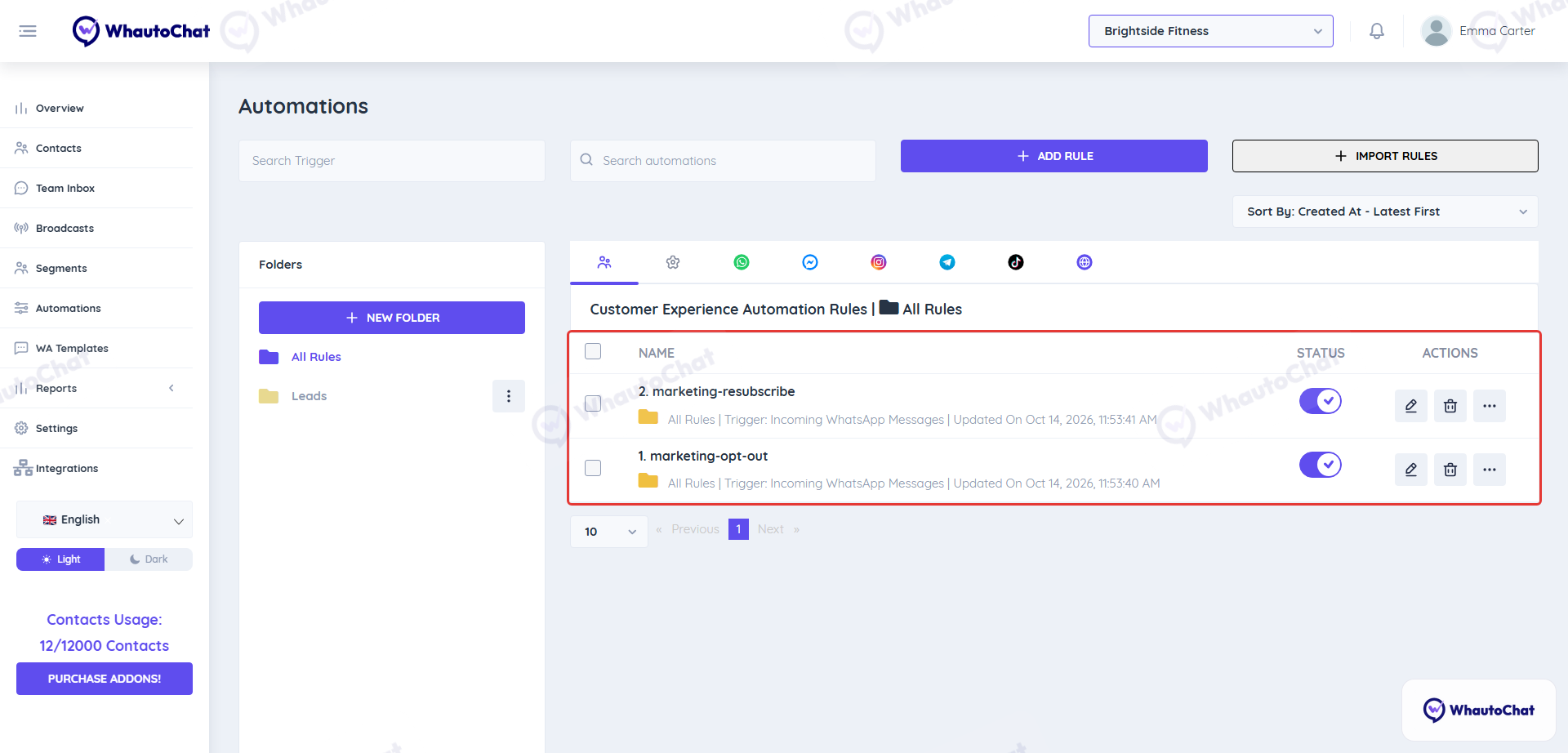
🧠 How Marketing Opt-Out Automation Works:
When a contact sends a message containing "STOP," "Stop," or "stop" as a standalone word, the automation triggers the opt-out condition based on a regex pattern.
- If the contact sends "Stop" followed by additional words (e.g., "Stop marketing"), the regex pattern will not trigger the opt-out condition due to the specified word boundary constraints.
- Upon receiving a Stop message from a contact, we automatically apply the "Unsubscribe" tag to their profile. This allows for easy identification and segmentation in the Broadcast feature.
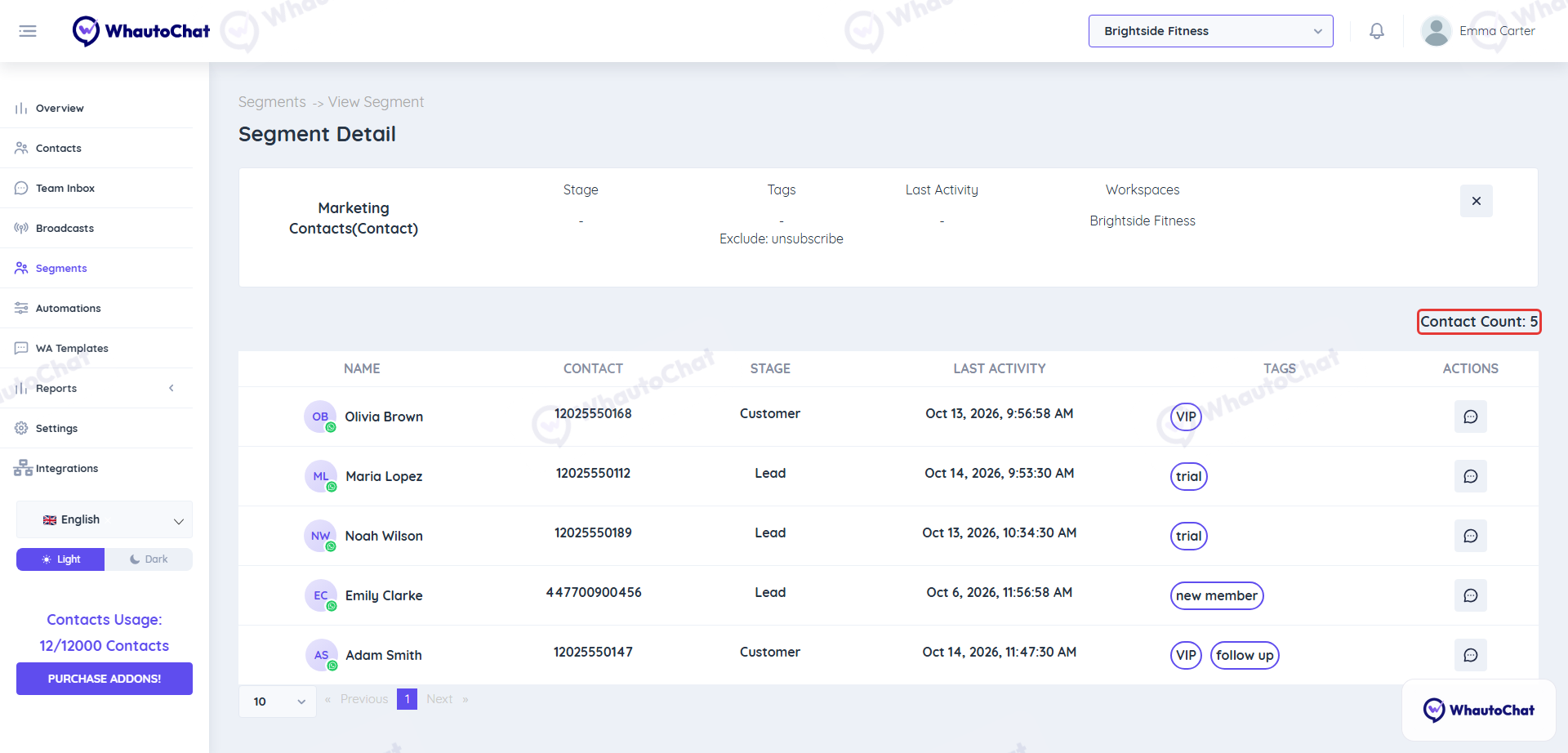
📊 3. Create Segments to Exclude Unsubscribed Contacts
- Navigate to the Segments menu
- Click Add Segment
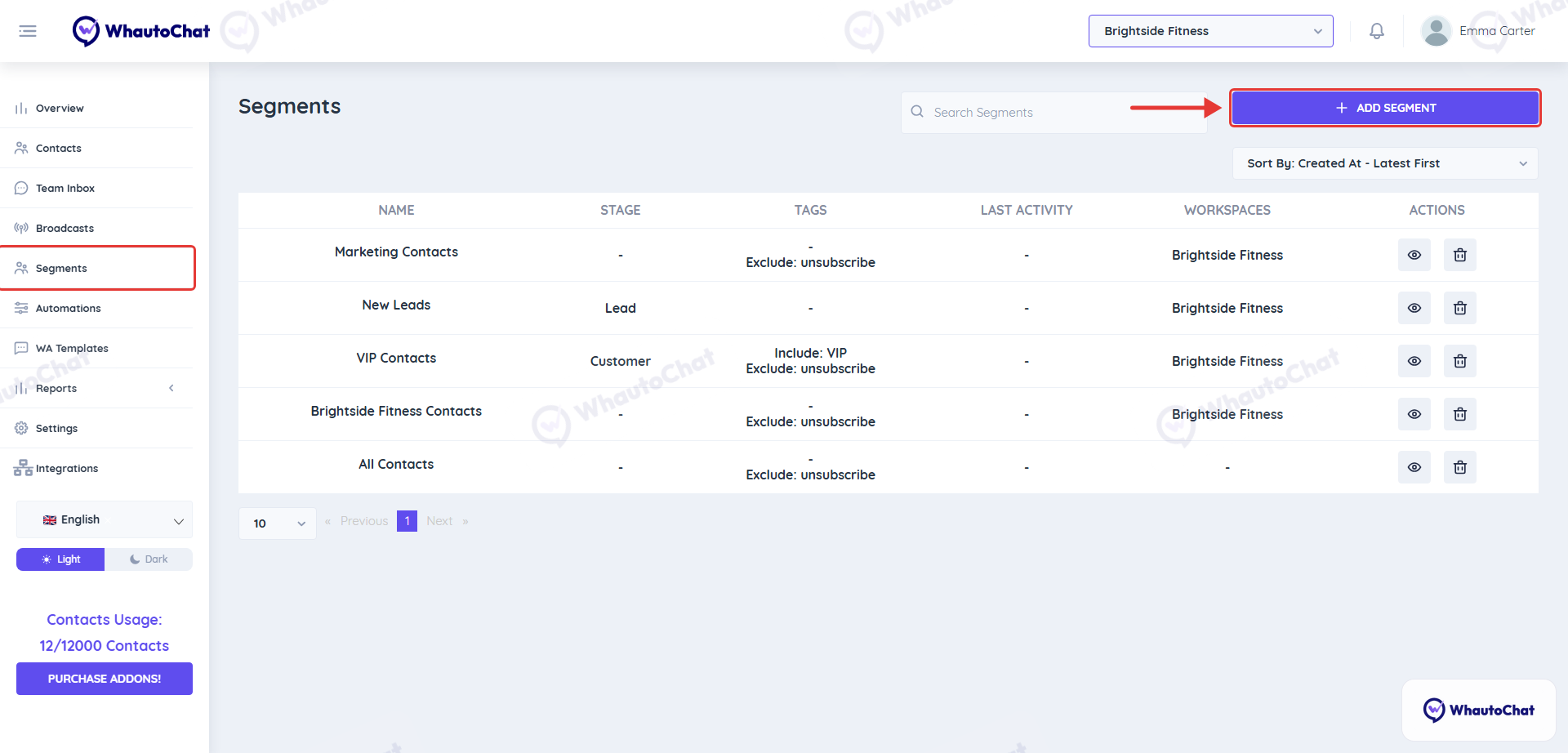
- Name your segment (e.g., “Marketing Contacts”)
- Under Exclude Contacts with Tag, select: Unsubscribe
- Save the segment
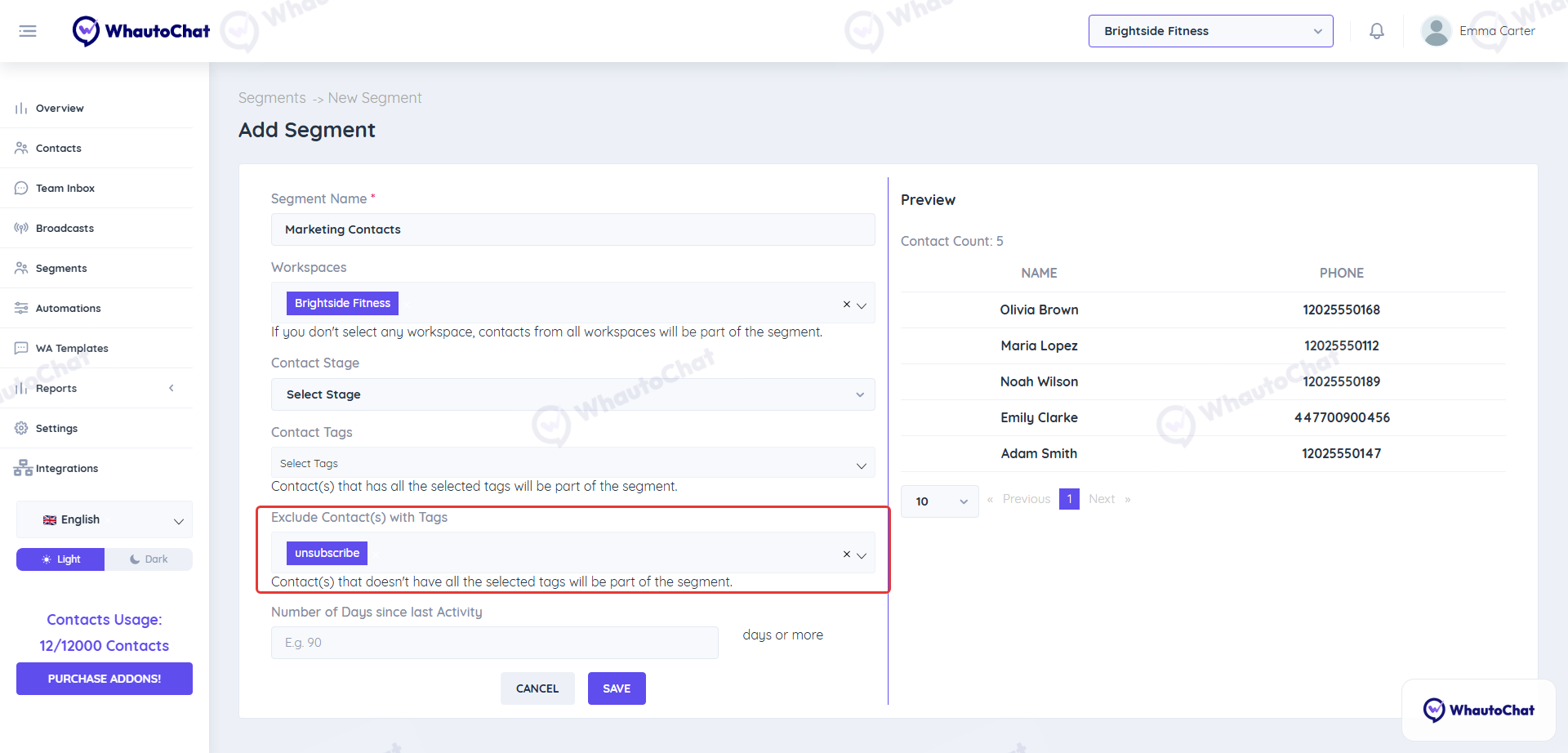
🔁 This is a dynamic filter. Contacts who send “STOP” will be tagged and automatically excluded from future broadcasts.
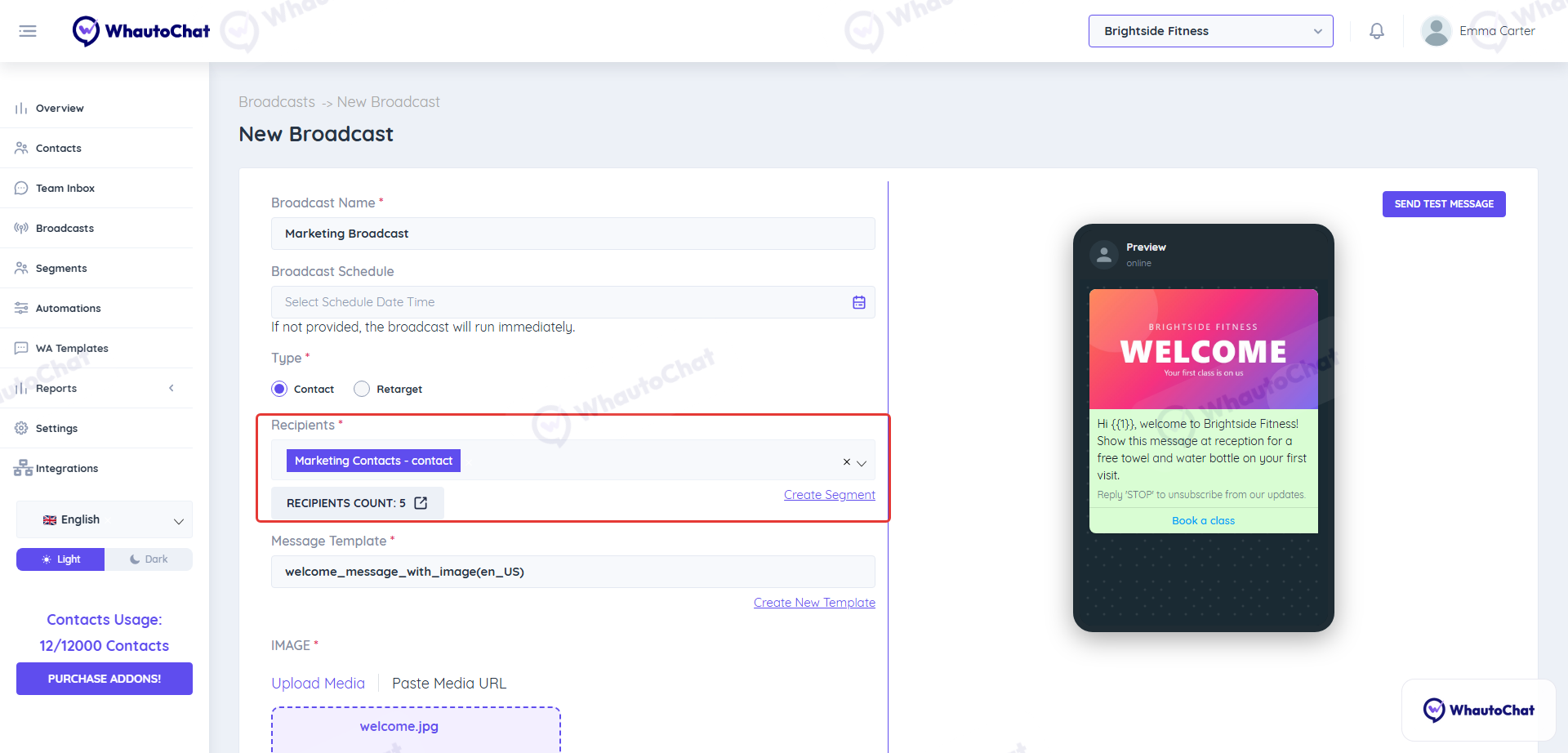
📤 4. Send Marketing Broadcasts to Clean Segments
- Use your newly created segment for sending messages
- This ensures only opted-in clients receive promotions
🧪 5. Test It Out
- Send a marketing template to yourself or a test number
- Reply with “STOP”
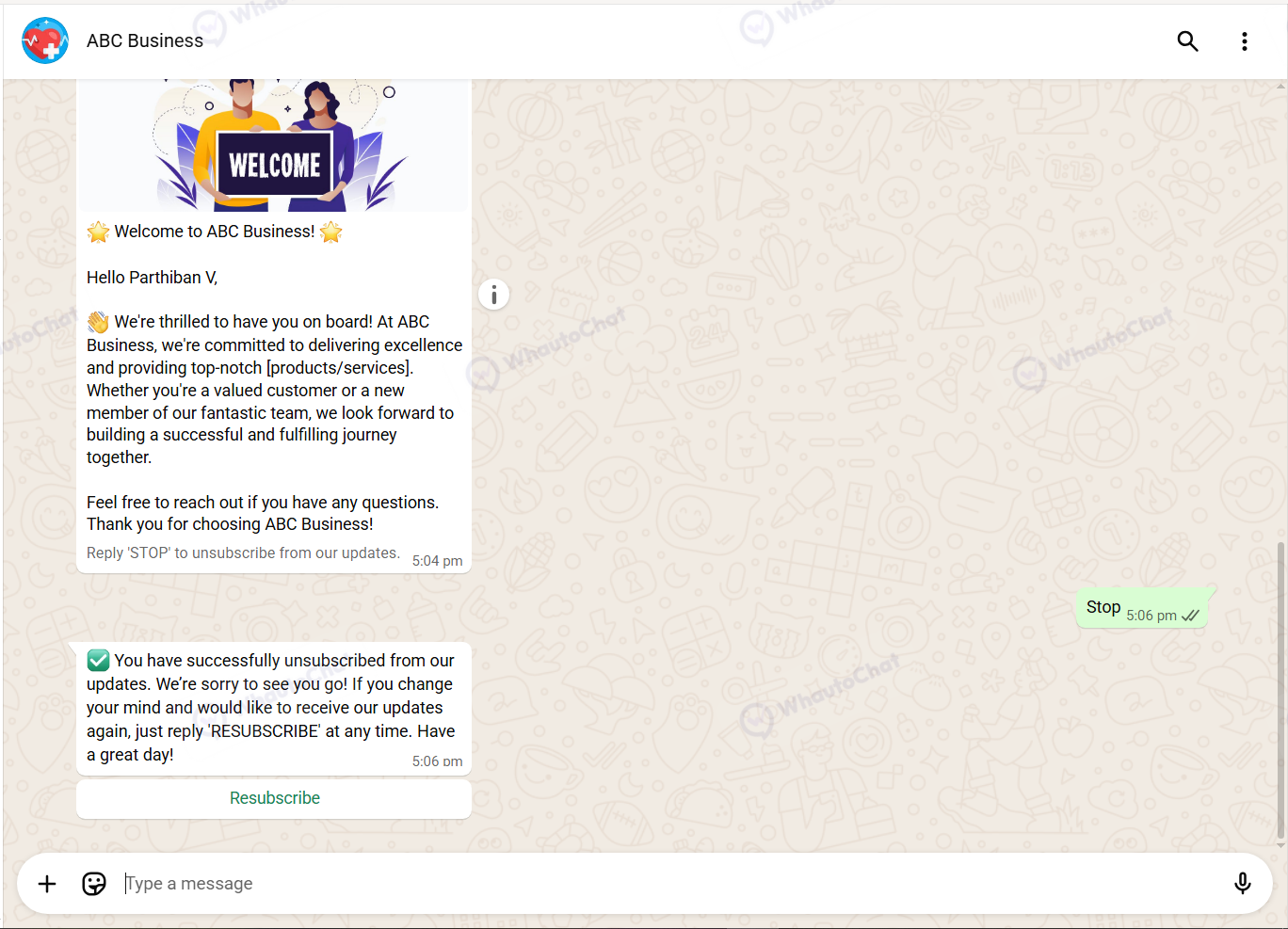
- Check if the contact is removed from the segment in the next broadcast
🔄 Resubscription Made Easy
If a contact wants to resubscribe:
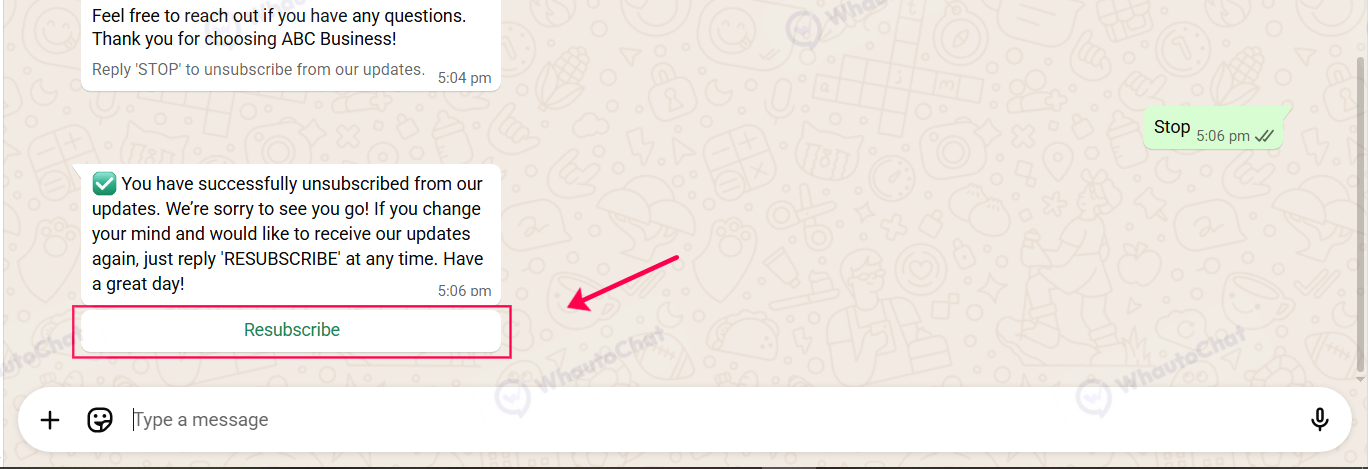
- They can send “RESUBSCRIBE” or click a Resubscribe button
- The "Unsubscribe" tag is automatically removed
- They’re re-added to your marketing contact segment
Pro Tip: Setting this up not only improves deliverability and customer satisfaction, but it also protects your WhatsApp quality rating from dropping due to spam reports.