Messenger
Connect your Facebook page to WhautoChat and start managing Messenger conversations directly from your team inbox.
🔗 How to Connect Facebook Messenger to WhautoChat
-
Login to WhautoChat
- Go to the WhautoChat app and log in with your credentials.
-
Open Integration Settings
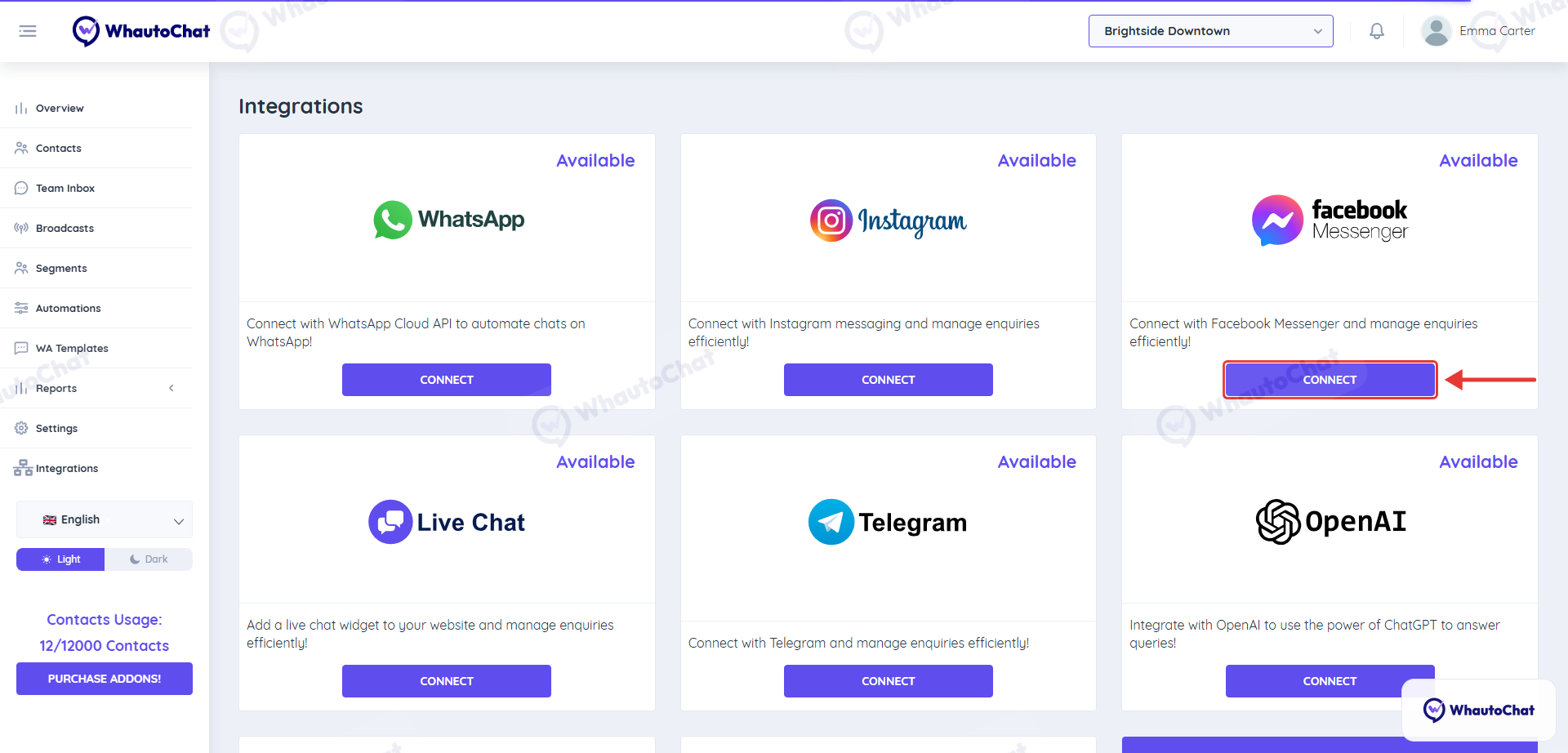
- From the sidebar, click on Integrations, then click Connect on the Facebook Messenger card.
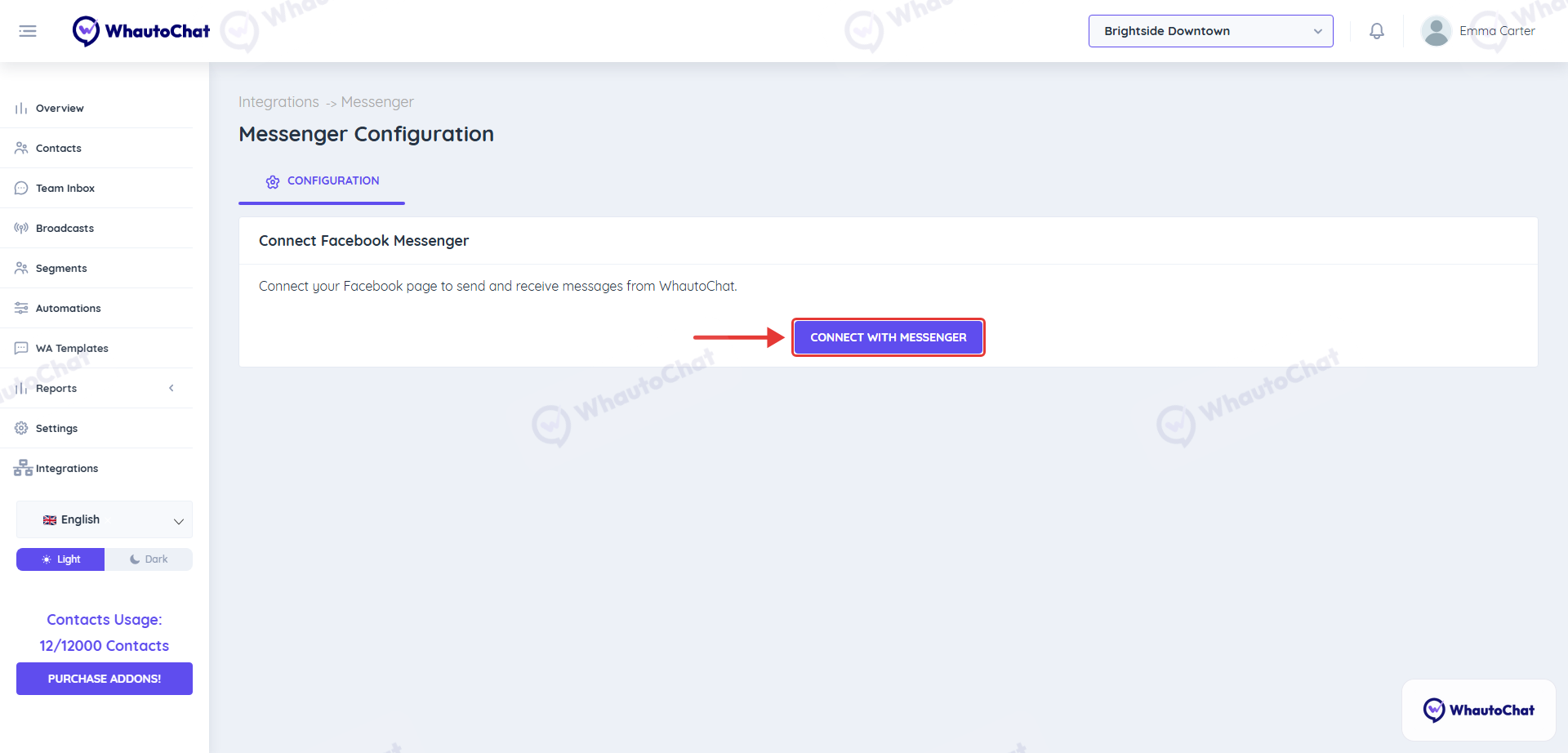
- Click “Connect with Messenger”
- This will open a new window prompting you to log in with your Facebook account (must be linked to your Meta Business).
-
Log In to Facebook
- Sign in using the Facebook credentials associated with your Meta Business Account.
-
Select a Facebook Page
- Choose the Facebook page you want to connect with WhautoChat.
- Example: I have selected my Facebook page, Brightside Fitness.
- Click Next to continue.
-
Choose Your Meta Business Account
- Select the business account linked to your chosen Facebook page.
- Example: I have chosen my meta business, Brightside Fitness.
-
Complete Initial Setup
- Click Save to finalize the connection.
- Within a few seconds, the status will update to Connected.
- Click Got it to proceed.
-
Open Messenger Settings
- Click the Go To Messenger Settings button to continue with the setup.
-
Connect the Page
- Choose your Facebook page once more.
- Click Connect Page to finalize the Messenger integration.
- The page now shows under Select Facebook Page with a green check mark.
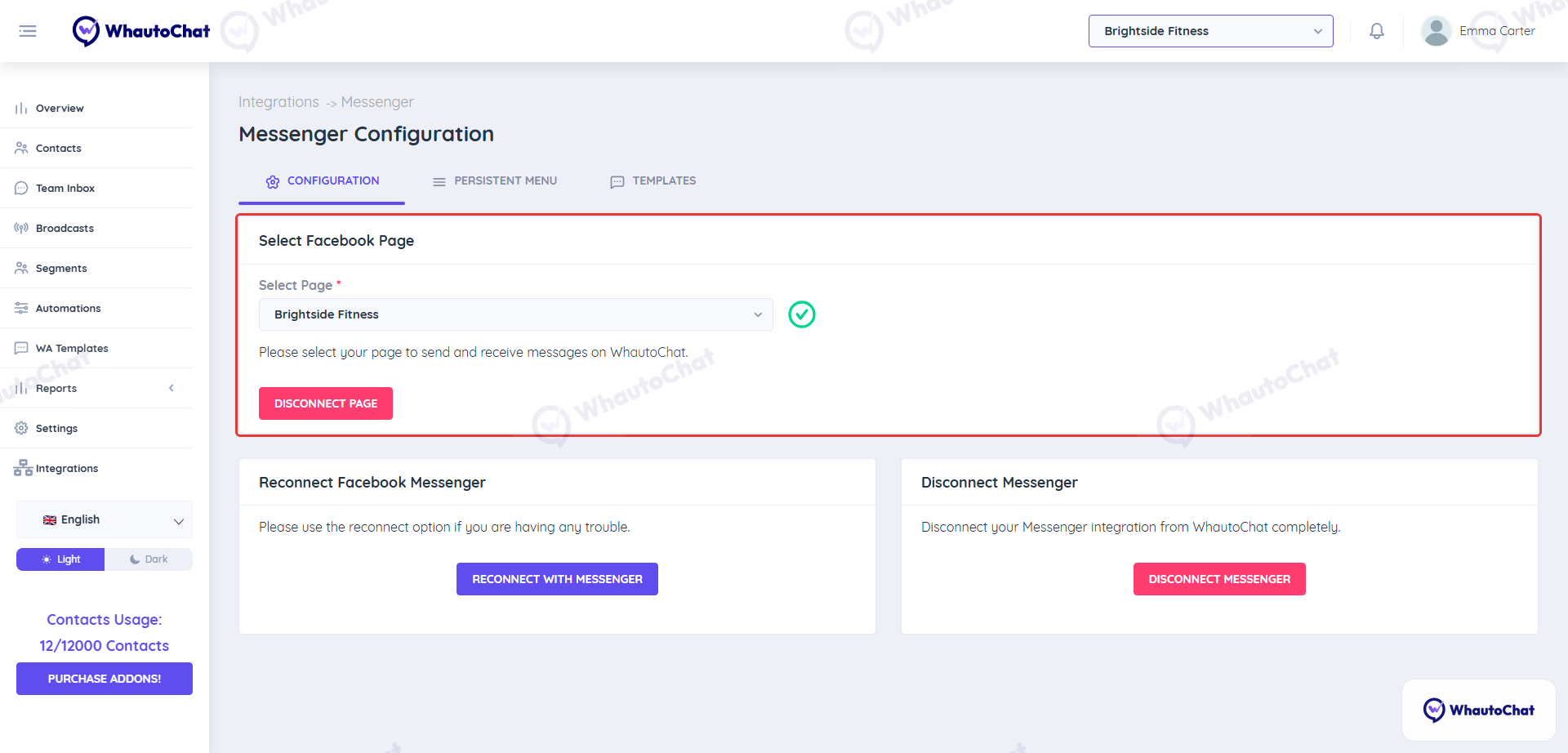
success
✅ Integration Complete
Your Facebook Messenger page is now connected to WhautoChat.
📩 Send a test message to confirm everything is working correctly.
💬 Need Help?
Reach out to our support team anytime – we’re here to help you connect smoothly. [email protected]
For detailed troubleshooting, refer to our Troubleshooting or contact support.